


Scrabble® GO – Fun with Words!
4.667.57K Reviews
App Specs
- Version
- 1.111.0
- Updated On
- License
- Free
- Downloads
- 10,000,000+
- Developer
- Scopely
- Categories
- Word
- Platform
- Android, iOS
Screenshots
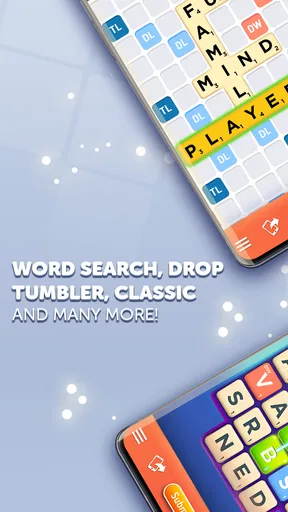
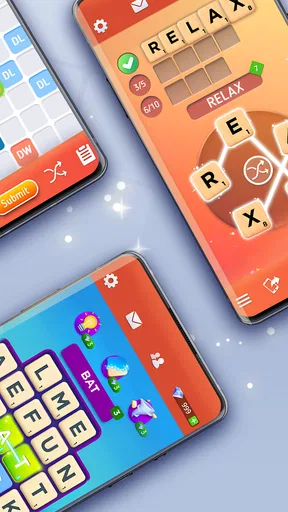
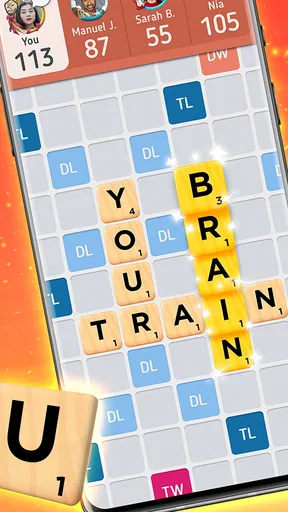
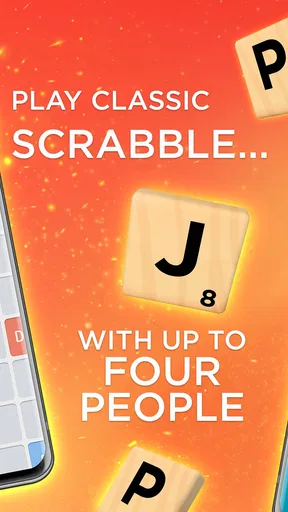
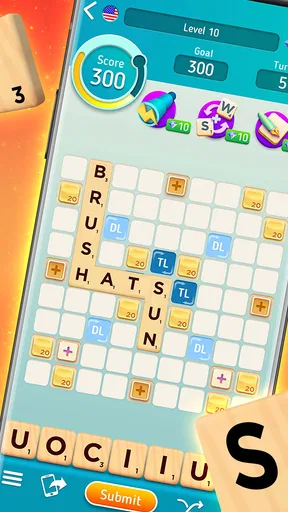
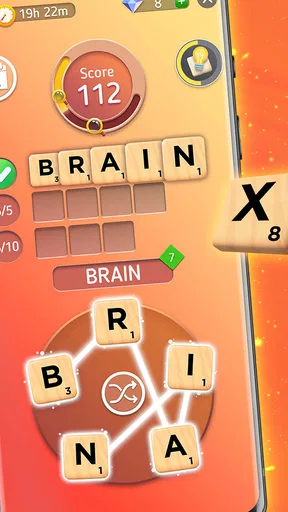
 Analysis by AppCompare
I like word games best when they give me a reason to think for a moment, make a move, and then look forward to seeing what happens next. Scrabble® GO builds that familiar rhythm around placing letter tiles, weighing points against position, and waiting for an opponent’s reply. It’s a mobile word game from Scopely that keeps the recognizable board-game idea while adding online play and ways to personalize the experience. If you enjoy taking turns rather than finishing a whole match in one sitting, it has an easy place in a daily routine.
Making the first move
Starting a match is straightforward, and the colorful interface puts the board and tiles at the center of play. I appreciate that the basic decision is instantly understandable: find a word, choose where it goes, and consider how the board’s scoring spaces might improve the result. The rules feel familiar to anyone who has played Scrabble, but the digital format removes the need to set up a physical board or gather everyone in one room.
You can play with friends, meet opponents through online play, or choose solo options. That range matters because it changes how I use the game. A friend match suits a relaxed back-and-forth, while an unfamiliar opponent can make each board position harder to predict. Solo play is useful when I want to consider letter combinations without coordinating with another person. The choice is less about finding one universally best mode and more about matching the game to the time and company I have.
How the word-game loop holds up
I focus on how a turn changes the board, because that is what makes this familiar word game feel different from a puzzle with a fixed answer. A careful placement can score well yet leave an inviting opening, so I’m weighing language and position together. That push and pull sets up the next part: the rhythm of seeing how an opponent responds.
Feedback that arrives a turn at a time
Each move gives me a small puzzle, but the opponent’s response is what makes the board feel alive. A strong word can earn points and open a promising position; it can also leave a useful lane for someone else. That trade-off keeps me from treating every turn as a hunt for the longest word. I’m often deciding whether to take a modest score now or risk setting up a better opportunity later.
The turn-based pace is convenient when I only have a few minutes, since I can make a move and return to other things instead of committing to an uninterrupted session. It also means the game may not deliver instant closure: if I’m hoping to finish a complete match during a short break, waiting for turns can be a drawback. I find it works best when I treat an unfinished board as something to revisit, not as a quick arcade round.
Tools, rewards, and useful trade-offs
Tile Swap is a practical option when my rack has letters that are difficult to use. Being able to exchange tiles without giving up a turn can help a stalled board feel playable again, though it doesn’t remove the need to judge where a replacement word might fit. The word finder can offer a nudge when I’m stuck, but I’d use it thoughtfully: leaning on help every turn can take away the satisfaction of spotting a clever play myself.
Worth Reading Before You Choose

Flipboard Shows What News Apps Must Do Beyond the Feed

Switching to Android Auto Means Rethinking Your Driving Routine

Google Calendar Makes a Crowded Week Easier to Manage

Ludo King Makes the Most of the Minutes Between Plans

Baby Panda World Brings Quick Play to Modern Phones, but Its Game Library Feels Busy

ESPN’s Live Game View Makes Following Close Games Easier
Custom tiles and boards give the game a personal touch, while the different modes provide reasons to return after a match. The clearest reward for me is still the board itself: finding a placement that uses awkward letters, takes advantage of a scoring space, or blocks an easy reply. That sense of discovery is more satisfying than simply chasing a sequence of wins, especially when I’m using the game to keep my vocabulary and pattern recognition active.
Who will enjoy it, and who may prefer something else
This is a good fit for people who like word puzzles but don’t mind competition, delayed turns, or a little uncertainty about what an opponent will do. It can also work for friends and family who want a shared activity without needing to be together at the same time. If you want a quiet solo puzzle with a clear ending every few minutes, a self-contained word-search or crossword game may suit you better. If you dislike online interaction, the social features may also be more than you need.
In an ordinary day, I might open a match during a coffee break, place one word, then leave the phone aside while the other player considers a reply. Later, I can inspect the changed board and work out whether to protect a scoring lane or build from a different set of letters. That stop-and-return pattern is the game’s practical strength, but it depends on enjoying a slow exchange. Players who prefer rapid rounds and immediate results may find a timed word duel more satisfying.
Personal touches and practical considerations
Customization is more than decoration if a familiar tile style makes a long-running match easier to scan; it can give the board a look that feels like yours. Still, personalizing the visuals won’t change the core decisions, so I’d treat it as a pleasant extra rather than a reason to choose the game. Likewise, using the word finder occasionally can help me learn from a difficult rack, but I get more out of a session when I first try rearranging letters and considering less obvious short words on my own.
The game is free to download and rated for Everyone. Optional in-app purchases range from $0.49 to $299.99 per item, so I’d be careful to check purchase prompts and keep spending settings in mind, particularly on a shared device. Its average rating is 4.4 from around 552,000 ratings, and it has passed 10 million installs. Those figures suggest a broad audience, but they don’t guarantee that its turn-based pace or extra modes will suit every word-game fan.
For a fair comparison, the closest alternatives are usually solo crossword and anagram apps on one side, and fast competitive word games on the other. Crosswords give me a more directed, self-contained challenge; quick duels are better when I want a result right away. Scrabble® GO sits between them: its board strategy rewards planning, and playing against another person adds unpredictability, but waiting for turns makes the flow less immediate. I’d choose it when the social back-and-forth is part of the appeal, not when I only want a puzzle I can finish before my break ends.
One useful habit is to scan the whole board before committing a word, not just the spaces beside your rack. A high-scoring placement can create a tempting opening for the other player, while a smaller move may limit their options. I also try not to swap tiles automatically whenever a rack looks awkward; first I look for short plays or a way to connect with existing letters. Those small checks make each turn feel more deliberate and help prevent the game from becoming a simple search for the biggest number.
A familiar game with a mobile rhythm
Have you ever found yourself craving a word game that’s both engaging and challenging? Well, let me introduce you to Scrabble® GO – a game that’s all about fun with words! If you’re someone who loves a good mix of strategy, vocabulary, and a bit of friendly competition, then this app might just be your new best friend.
Gameplay Experience
Upon opening the app, you're greeted with a vibrant and colorful interface. The developers have done a stellar job in making sure the game is visually appealing without distracting from the main event – the words! It’s easy to navigate, and you’ll find yourself setting up a game in no time.
The game offers several modes to keep things interesting. Whether you want to challenge a friend, test your skills against a random opponent, or play solo to improve your vocabulary, there’s something for everyone. The classic mode will give you that nostalgic feel, while the duels and tournaments offer a more fast-paced and competitive vibe.
Features that Stand Out
One of the standout features of Scrabble® GO is the Tile Swap, which allows you to swap out your tiles without losing a turn – a real game-changer for those tricky letters! The app also includes a word finder, which is perfect for those times when you’re stuck and need a little nudge in the right direction.
Let’s not forget about the customization options. You can personalize your tiles and boards, adding a bit of flair to your game. It’s all about making your Scrabble experience uniquely yours!
Community and Social Interaction
The social aspect of the game is worth mentioning too. You can connect with friends and family, or even make new friends through the app. The chat feature lets you share your thoughts, gloat about your victories, or simply catch up with opponents between turns.
Getting more from each match
When I play with someone I know, I find it helps to agree on a relaxed pace rather than treating every delayed reply as a sign that the match has stalled. The game is naturally suited to asynchronous play: make a move when you have a spare moment, then come back when the board changes. For a family member who is less confident with word games, playing together can also make the board a conversation rather than a contest. Against a random opponent, I’m more cautious about leaving obvious scoring opportunities open because I can’t predict their habits.
One point worth considering is how you want to use the helper tools. If your goal is to practice, try setting a personal rule: make an honest attempt before opening the word finder, then compare its suggestion with the move you considered. That turns assistance into a learning prompt instead of an automatic shortcut. If your goal is simply a casual match, there’s no need to make every turn a vocabulary lesson; the best approach depends on whether you value improvement or an easy pastime more.
The app is a word game developed by Scopely, and its current version is 1.102.0. It was released on March 3, 2020, and requires Android 6.0 or later on Android devices. I’d keep the app updated when possible, particularly if I’m playing regularly, since the current version is the one to check for compatibility on a device. Those details make it easier to decide whether an older phone is likely to be suitable before setting up matches with other people.
There’s also a difference between enjoying word knowledge and enjoying board tactics. Knowing unusual words can help, but it won’t automatically make a strong move: placement, access to premium scoring spaces, and the reply you invite all matter. If you mostly want to learn definitions, a dedicated vocabulary tool will be more focused. If you enjoy weighing language against position and opponent behavior, this game gives those skills room to work together.
Where the loop succeeds—and where it doesn’t
The cycle is simple: I study the rack and board, place a word, see how the position changes, and return when there’s a new challenge. A good play gives a satisfying lift, while an awkward rack or an opponent’s strong reply sends me back to reconsider the board. That reset is why another turn can feel worthwhile: the puzzle is familiar, but the available letters and openings have changed. The trade-off is that the reward is spread across a match rather than delivered as a quick finish.
With a 4.4 average and around 66,000 written reviews, the game has clearly drawn sustained interest, though popularity alone won’t settle whether its style suits you. It is free to start, but optional purchases can affect how comfortable it feels to browse extras, so I’d approach spending as a choice rather than a requirement. For me, the strongest reason to keep it installed is the mix of familiar word placement and human unpredictability; the main reason to skip it is equally clear: if waiting between turns feels like friction instead of flexibility, a quick solo puzzle is a better match.
Final Thoughts
Overall, Scrabble® GO is a fantastic app for word enthusiasts and casual gamers alike. It brings the classic game of Scrabble into the digital age without losing its original charm. The app is free to download, but like many games, it offers in-app purchases for those who want to enhance their experience further.
So, if you’re ready to flex your vocabulary muscles and engage in some wordy battles, Scrabble® GO is definitely worth a download. It’s more than just a game; it’s a fun way to learn, connect, and compete. Happy spelling!
Pros
- Engaging multiplayer mode.
- Variety of word challenges.
- Customizable tile styles.
- Daily rewards and bonuses.
- Educational and fun.
Cons
- Contains in-app purchases.
- Ads can be intrusive.
- Requires constant internet.
- Occasional lag issues.
- Limited offline features.
FAQs for Scrabble® GO – Fun with Words!
What features does Scrabble® GO offer to enhance gameplay?
Scrabble® GO offers a variety of features to enhance the traditional Scrabble experience. These include real-time multiplayer modes, solo challenges, and themed events. The app also provides power-ups to help players score higher, a chat feature to communicate with friends, and customizable tiles and boards to personalize your game experience.
Is Scrabble® GO free to play, and does it include any in-app purchases?
Scrabble® GO is free to download and play. However, it does include optional in-app purchases. These purchases can enhance gameplay by providing additional power-ups, special tiles, and other customization options. While these extras can improve your experience, they are not necessary to enjoy the core game.
Can I play Scrabble® GO with friends who have different devices?
Yes, Scrabble® GO supports cross-platform play, allowing you to challenge friends regardless of whether they use Android or iOS devices. You can connect with friends via Facebook or invite them directly through the app, ensuring a seamless multiplayer experience across different platforms.
Does Scrabble® GO require an internet connection to play?
Scrabble® GO primarily relies on an internet connection, especially for real-time multiplayer and social features. However, the app also offers some solo gameplay options that can be enjoyed offline, allowing you to practice and improve your skills without requiring constant connectivity.
How does Scrabble® GO ensure fair play and match appropriate opponents?
Scrabble® GO uses a matchmaking system to pair players with opponents of similar skill levels, ensuring competitive and fair gameplay. The app also includes features to report inappropriate behavior or cheating, maintaining a respectful and enjoyable environment for all players.


